SQL Server Data Tools preview can be used with Visual Studio 2013 or Visual Studio 2015 to work with SQL Server 2016 CTP3. However the preview for Visual Studio 2015 covers most of the features and this post describes downloading and installing the preview.
SQL Server Data Tools can be installed standalone or integrated into an existing Visual studio installation. If you have Professional or higher version of Visual Studio 2013 or 2015 and did not opt out off installing SSDT during setup the computer used must have an existing version of SSDT.
Here is your master reference for SSDT.
If you are using Community editions then standalone is your only option. You can download the SSDT Preview from these links:
- SSDT Preview for Visual Studio 2013
SQL Platform Support:
SQL Server 2005 – 2016 CTP 3.0
Azure SQL Database
Azure SQL Data Warehouse - SSDT Preview for Visual Studio 2015
SQL Platform support:
SQL Server 2005 – 2016 CTP 3.0
Analysis Services for SQL Server 2008 - 2016 CTP 3.0
Integration Services for SQL Server 2016 CTP 3.0
Reporting Services for SQL Server 2008 - 2016 CTP 3.0
Azure SQL Database
Azure SQL Data Warehouse
Getting the SSDT Preview for Visual Studio 2015 should cover most of the ground. In preparing for SQL Server 2016 CTP3, the SSDT Preview was installed. Here are some installation screen shots.
Double click the downloaded SSDT Setup.exe to start downloading and installing

Click Next. Accept license terms as in the following

Click Install. This is going to be a slow process. It starts off like this.

Downlaods everything needed for CTP3.

It's done.

Lots of programs are added to the computer. Have a look at Programs in the Control Panel's Programs and Features..

Looks like the Analysis Services, Reporting Services and Integration services get integrated with the Visual Studio 2015 Community.

Launching Visual Studio 2015 Community.
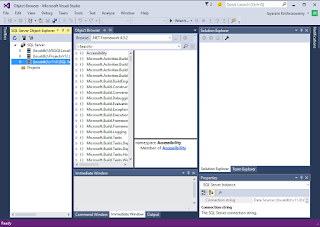
The start screen appears after a very long time and I hope it will be faster in the future. It starts off with Object Browser.

Double click the downloaded SSDT Setup.exe to start downloading and installing

Click Next. Accept license terms as in the following
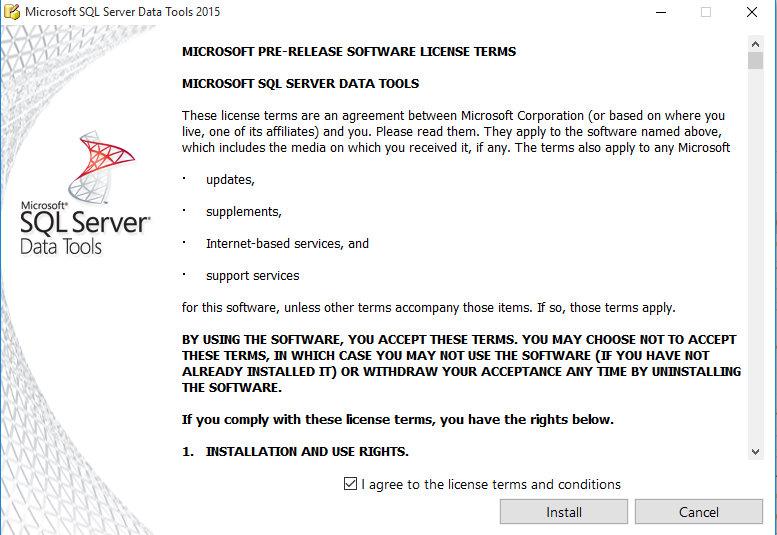
Click Install. This is going to be a slow process. It starts off like this.

Downlaods everything needed for CTP3.

It's done.

Lots of programs are added to the computer. Have a look at Programs in the Control Panel's Programs and Features..

Looks like the Analysis Services, Reporting Services and Integration services get integrated with the Visual Studio 2015 Community.

Launching Visual Studio 2015 Community.
The start screen appears after a very long time and I hope it will be faster in the future. It starts off with Object Browser.

The New Project window appears as shown with the BI | Analysis Services highlighted.

OK. This is it. Now you can create BI projects with SQL Server 2016 CTP3 and other supported SQL Server Platform items.


