Showing posts with label Windows 10. Show all posts

Tuesday, October 4, 2016

SQL Server Configuration Manager shortcut is missing in my Windows 10

Under Microsoft SQL Server 2016 desktop apps I should have found the SQL Server Configuration Manager. I see the Reporting Services Configuration Manager but not the SQL Server Configuration Manager.


When you search for it specifically also you do not find it.


Where is it?

The following is the reason for this is given here: TechNet.

Because SQL Server Configuration Manager is a snap-in for the Microsoft Management Console program and not a stand-alone program, SQL Server Configuration Manager does not appear as an application in newer versions of Windows (8,10)

In Windows version 10  if you have to open SQL Server Configuration Manager for SQL Server 2016  the following item should be searched in  the  search charm of Windows 10:

SQLServerManager13.msc

When this is found you just click and display the SQL Server Configuration Manager as shown:


From the Help menu you can find the version.


Saturday, April 30, 2016

Must see Video: SQL Database for Developers

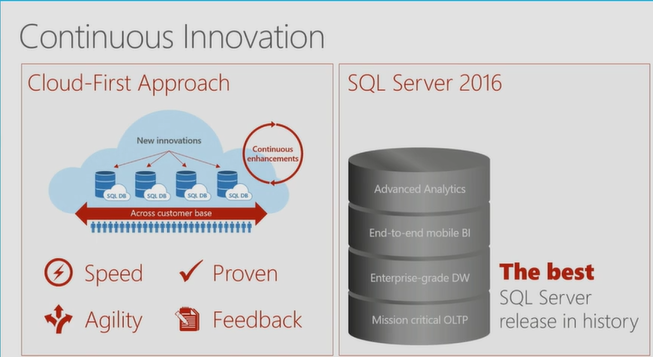
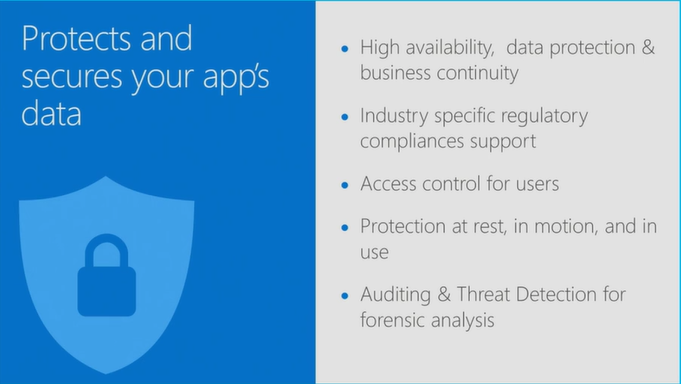
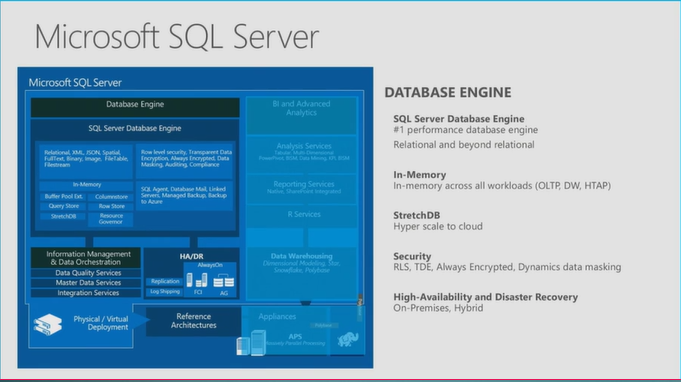
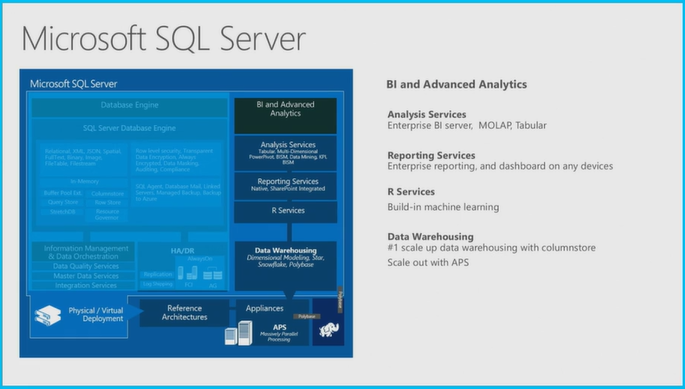
SQL Server 2016 is advertised to be the most significant SQL Server in recent times and has a plethora of new ideas and concepts. This presentation (over an hour long) really provides a great background for SQL Server 2016 which is in RC3 presently but appears to be on Azure (preview?) already.

This is a video that you must see if you are a SQL Database Developer. The presentation (nearly an hour, March 30, 2016 Build event) by Lindsey Allen and Tony Petrossian is really informative, helpful and well made.

The stated overview of the presentation was:
"Microsoft offers SQL Server and Azure SQL Database to help you develop great relational database applications. In this session you will learn about the top developer features coming in SQL Server 2016 which are already in Azure SQL Database. Additionally, you will see the latest investments in Azure SQL Database that enable you to easily manage thousands of databases and get the performance and security insight needed to build robust and secure applications in the cloud.
"
You can hear the full presentation with all the demos here:
(Day 1 of the Microsoft Build meeting. Lindsey Allen and Tony Petrossian March 30, 2016)

The following demos were presented to deliver the 'wow' impact (it is possible that I might have omitted some).
  • In-memory OLTP Demo nicely presented.
  • Always encrypted demo(Security schema, security policy  etc)
  • Dynamic data matching
  • SQL Injection/Auditing
  • Demo with Python script
  • Demo with Ruby
The video presentation is copied over here as well:


However, if you are short on time and just would like to glance over the slides they used, you may review the following images captured from the video as screen shots.


 !!!!


 !!!!


 Comparison


Wednesday, April 27, 2016

Download SQL Server 2016 Release Candidate 3 and evaluate


SQL2K16RC3.png
You can download the 120 day edition from here after registering.

Three types of download (only 64-bit):

ISO
CAB
Azure

Hardware and software requirements (abbreviated):

  • .NET Framework 4.6, Installation setup installs.NET Framework
  • Network Software: Shared memory, Named Pipes, TCP/IP and VIA
  • Hard disk space: Minimum of 6GB
  • Drive/Monitor/Internet required.
  • Memory: 1GB
  • Processor: x64 bit 1.4GHZ
  • Processor type: x64 Processor: AMD Opteron, AMD Athlon, Intel Xeon with Intel EM64T Support and Intel Premium with EM64T support
  • No support for WOW 64

Here are the benefits of SQL Server 2016:
Enhanced in-memory performance provide up to 30x faster transactions, more than 100x faster queries than disk based relational databases and real-time operational analytics
◾New Always Encrypted technology helps protect your data at rest and in motion, on-premises and in the cloud, with master keys sitting with the application, without application changes
◾Built-in advanced analytics– provide the scalability and performance benefits of building and running your advanced analytics algorithms directly in the core SQL Server transactional database
◾Business insights through rich visualizations on mobile devices with native apps for Windows, iOS and Android
◾Simplify management of relational and non-relational data with ability to query both through standard T-SQL using PolyBase technology
◾Stretch Database technology keeps more of your customer’s historical data at your fingertips by transparently stretching your warm and cold OLTP data to Microsoft Azure in a secure manner  without application changes
◾Faster hybrid backups, high availability and disaster recovery scenarios to backup and restore your on-premises databases to Microsoft Azure and place your SQL Server AlwaysOn secondaries in Azure

There are several different types of SQL Server 2014 available and detials are here:
https://msdn.microsoft.com/en-us/library/ms143506(v=sql.130).aspx#hwswr

Wednesday, January 6, 2016

Installing SQL Server 2012 SP3 on Windows 10

Service pack SP3 for SQL Server 2012 fixes many of the bugs and adds other enhancements. The list is long, please go here for details.

http://support.microsoft.com/En-us/enkb/3072779

Download your copy if SP3 executable from here:
https://www.microsoft.com/en-us/download/details.aspx?id=49996

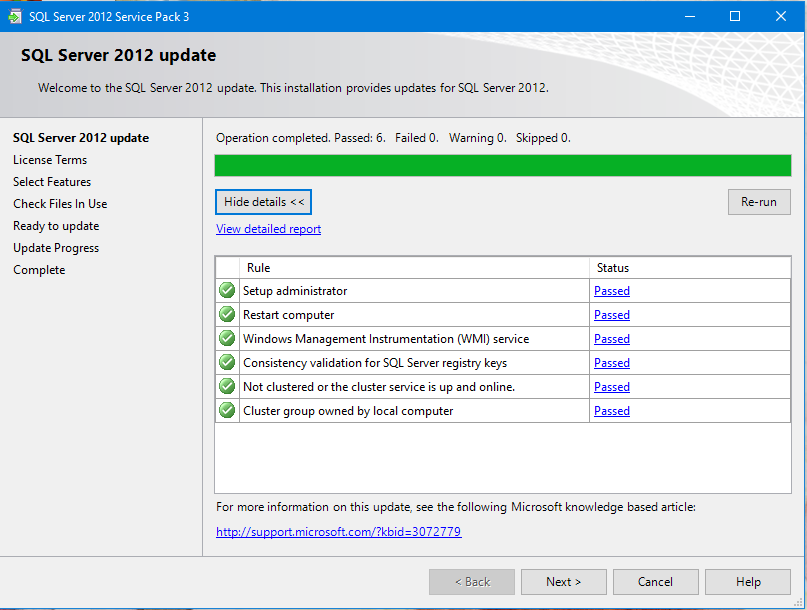
When this executable is clicked the program begins to kick in with this initial window. SQL Server 2012 update checks the files.


SP3_01

Click Next brings in the License Agreement window.


SP3_02
After agreeing click Next.

SP3_03

Selected features for the only existing version of SQL Server 2012, the Regency Park instance.


 SP3_04

This is the present version on this computer. Click Next.


SP3_05

The Check Files in Use command is processed. There were two files active, the Full text directory service and the WD Backup service. These were flagged during ‘Check files in USE’. These were stopped in Control Panel|…|Services window and clicked on the Refresh recheck.


 SP3_06

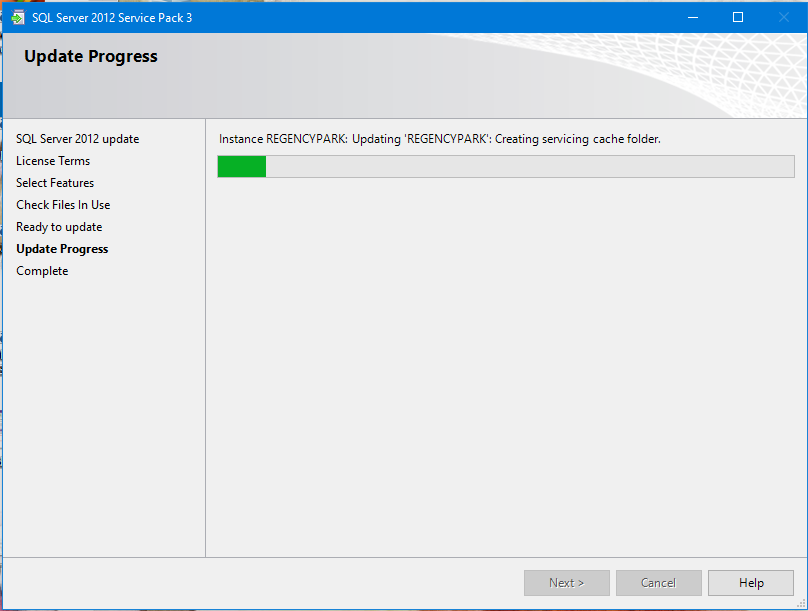
Clicking Update begins the process of the upgrade.

SP3_07


 SP3_08

The upgrade completed successfully. The next two windows shows the same window as above but scrolled to show more info.

SP3_09


  SP3_10

The following changes were made to the program listing in the Control Panel.


SP3_11

After SP3 installation a configuration manager app gets added to All Apps on Windows 10

The version details are as follows:

Developer Edition
11.3.6020.0


When Identity Security Becomes a Wall — Not a Shield

After a breach that forced a reset of my digital identity, I hit a roadblock I never anticipated: multi-factor authentication (2FA) locked m...