Showing posts with label R. Show all posts

Friday, October 14, 2016

Using R in Windows 10 creates too many Local User Accounts

R programs were integrated with SQL Server 2016 for the first time. The R Server was installed when the SQL Server 2016 Developer Edition was installed. The shortcut in Windows 10 All apps show the details:


RWindows10

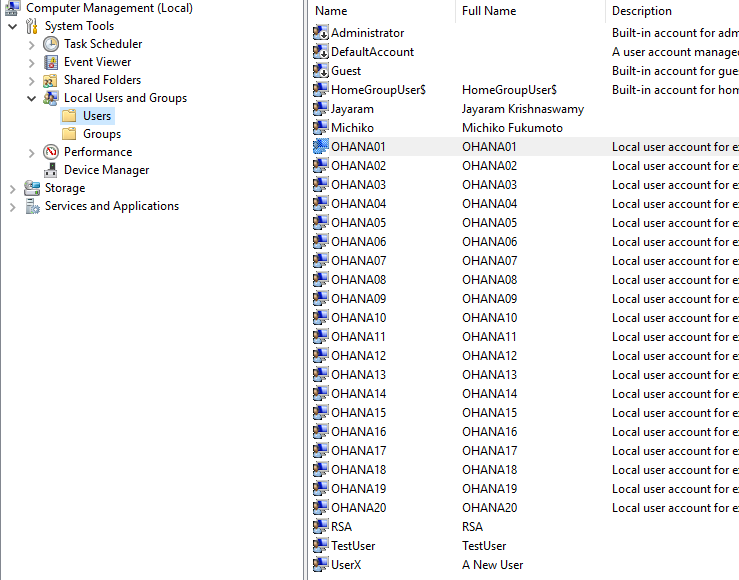
R GUI (x64) in the above was used (sometimes from R Server and sometimes from R Client)  to launch R. It has been used quite a number of times and what is intriguing is that each time it was used, the program has made an entry into the USERs node of the Local Users and Groups in the Computer Management window. If left without some sort of maintenance this could grow quite large.
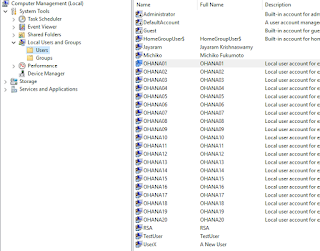

RWindows10_1

One of the Local User Account OHANA01 created has the following property:


RWindows10_2

I am not usre if it is by design or a bug that creates these accounts. I will try to troubleshoot.

Looks like the above is by design according to an answer from SQL Server Forum:

I quote the answer here:
Looks like that is by design it self, please refer the BOL for sql R not for windows point of view.
As part of the installation process for R Services (In-database), a new Windows user account pool is created to support execution of tasks by the SQL Server Trusted Launchpad service. The purpose of these worker accounts is to isolate concurrent execution of R Scripts by different SQL users.
The number of user accounts in this pool determines how many R sessions can be active simultaneously. If the same user executes multiple R scripts concurrently, all the sessions run by that user will use the same worker account. As a consequence, a single user might have 100 different R scripts running concurrently as long as resources permit.

Thursday, September 29, 2016

Querying a SQL Server Database in SSMS 2016 using R - 1

I described in an earlier post how to query a SQL Server Database using the ODBC DSN which uses the RODBC package.

After the integration of R with SQL Server 2016, it is possible to query a SQL Server database from within SQL Server Management Studio. However at present there are limitations for certain types of data such as XML.

In order to use R in SQL Server Management Studio make sure;
  • The server has started and you can connect to it
  • The Launch Pad service has started as shown:
QueryWithR_00.png

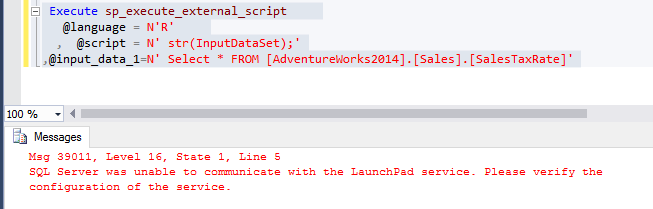
If this service has not started you get the MSG 39011 message as shown.


QueryWithR_01

After launching Launch Pad Service the query runs as shown.


QueryWithR_02

The result is to be understood as result set containing 29 rows and seven columns. It has returned informational message.

If you specify the columns your message will have information about those columns only.


QueryWithR_03

This query shows what data types have no support.


QuerywithR_04


Saturday, July 23, 2016

Problem enabling R Service in SQL Server 2016

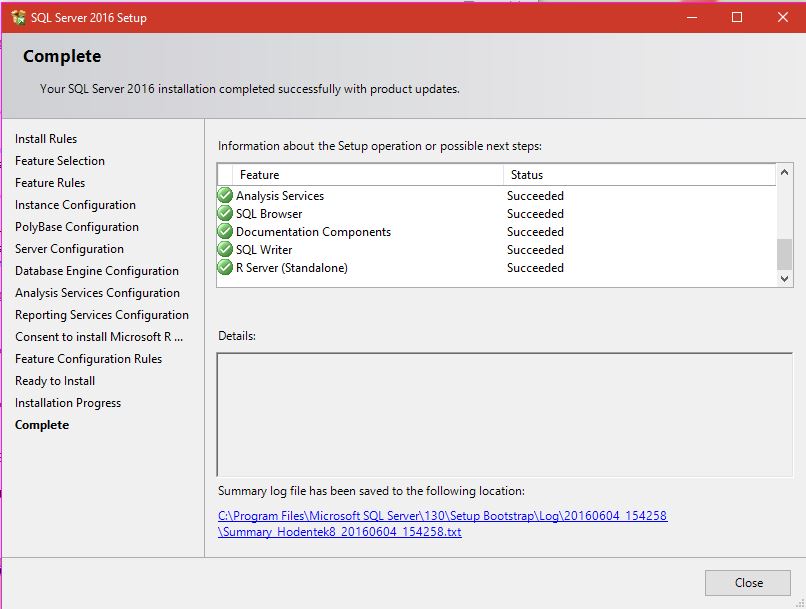
In my previous post I have compeltely described the installation of SQL Server 2016 Developer's edition during which the R Server was also installed as shown here:


Rserver_00

In order to run R in SQL Server 2016 you need to use the sp_execute_external_scripts stored procedure. In order to do use this, you need first set the external scripts enabled option, which by default is OFF.

The suggested way is to configure by running the followwing statement:
============
sp_configure 'external scripts enabled', 1; 
RECONFIGURE;
 
============
When run on the named instance on which R Server is also configured (Hodentek8\Ohana) we see the following result:

EnableXternalScrpts_01

The second line in the above statement does not seem to have any meaning since Reconfigure is the second line of the executed statement.

Now If I ignore the inconsistency and go ahead and run this suggested statement:
=====
exec sp_execute_external_script  @language =N'R',   
@script=N'OutputDataSet<-InputDataSet',     
@input_data_1 =N'select 1 as hello'   
with result sets (([hello] int not null));   
go

============
I get the following error.
========
Msg 39023, Level 16, State 1, Procedure sp_execute_external_script, Line 1 [Batch Start Line 6]
'sp_execute_external_script' is disabled on this instance of SQL Server. Use sp_configure 'external scripts enabled' to enable it.

========
Hence, I believe there is a problem.

Saturday, April 30, 2016

Must see Video: SQL Database for Developers

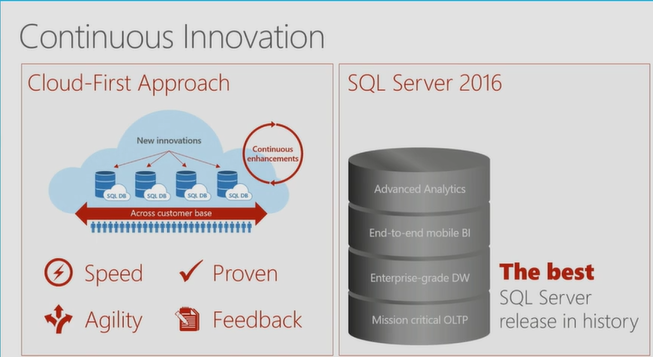
SQL Server 2016 is advertised to be the most significant SQL Server in recent times and has a plethora of new ideas and concepts. This presentation (over an hour long) really provides a great background for SQL Server 2016 which is in RC3 presently but appears to be on Azure (preview?) already.

This is a video that you must see if you are a SQL Database Developer. The presentation (nearly an hour, March 30, 2016 Build event) by Lindsey Allen and Tony Petrossian is really informative, helpful and well made.

The stated overview of the presentation was:
"Microsoft offers SQL Server and Azure SQL Database to help you develop great relational database applications. In this session you will learn about the top developer features coming in SQL Server 2016 which are already in Azure SQL Database. Additionally, you will see the latest investments in Azure SQL Database that enable you to easily manage thousands of databases and get the performance and security insight needed to build robust and secure applications in the cloud.
"
You can hear the full presentation with all the demos here:
(Day 1 of the Microsoft Build meeting. Lindsey Allen and Tony Petrossian March 30, 2016)

The following demos were presented to deliver the 'wow' impact (it is possible that I might have omitted some).
  • In-memory OLTP Demo nicely presented.
  • Always encrypted demo(Security schema, security policy  etc)
  • Dynamic data matching
  • SQL Injection/Auditing
  • Demo with Python script
  • Demo with Ruby
The video presentation is copied over here as well:


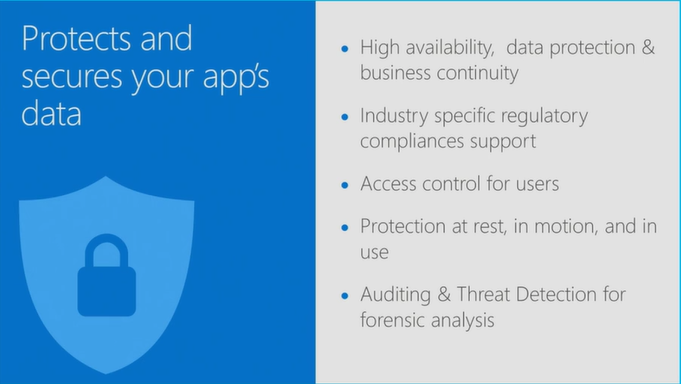
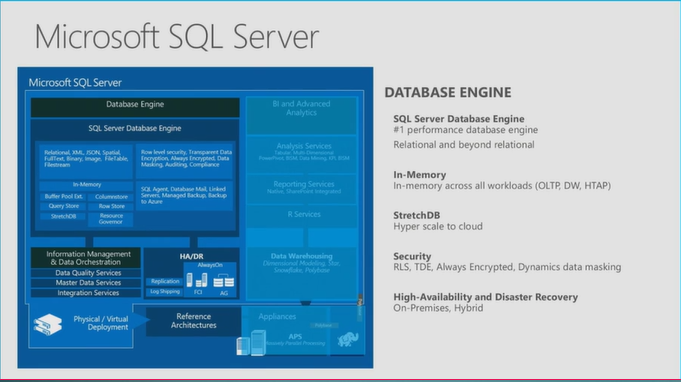
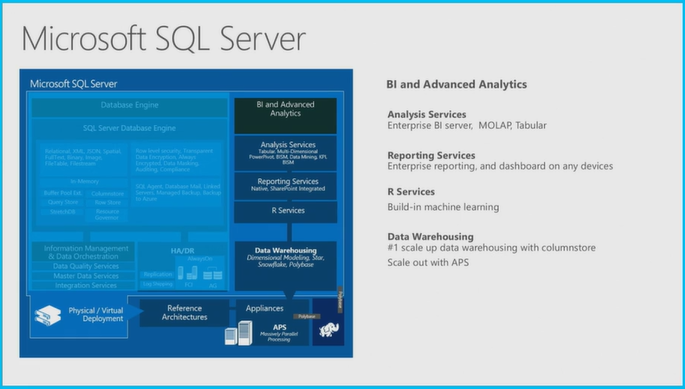
However, if you are short on time and just would like to glance over the slides they used, you may review the following images captured from the video as screen shots.


 !!!!


 !!!!


 Comparison


Wednesday, April 27, 2016

Download SQL Server 2016 Release Candidate 3 and evaluate


SQL2K16RC3.png
You can download the 120 day edition from here after registering.

Three types of download (only 64-bit):

ISO
CAB
Azure

Hardware and software requirements (abbreviated):

  • .NET Framework 4.6, Installation setup installs.NET Framework
  • Network Software: Shared memory, Named Pipes, TCP/IP and VIA
  • Hard disk space: Minimum of 6GB
  • Drive/Monitor/Internet required.
  • Memory: 1GB
  • Processor: x64 bit 1.4GHZ
  • Processor type: x64 Processor: AMD Opteron, AMD Athlon, Intel Xeon with Intel EM64T Support and Intel Premium with EM64T support
  • No support for WOW 64

Here are the benefits of SQL Server 2016:
Enhanced in-memory performance provide up to 30x faster transactions, more than 100x faster queries than disk based relational databases and real-time operational analytics
◾New Always Encrypted technology helps protect your data at rest and in motion, on-premises and in the cloud, with master keys sitting with the application, without application changes
◾Built-in advanced analytics– provide the scalability and performance benefits of building and running your advanced analytics algorithms directly in the core SQL Server transactional database
◾Business insights through rich visualizations on mobile devices with native apps for Windows, iOS and Android
◾Simplify management of relational and non-relational data with ability to query both through standard T-SQL using PolyBase technology
◾Stretch Database technology keeps more of your customer’s historical data at your fingertips by transparently stretching your warm and cold OLTP data to Microsoft Azure in a secure manner  without application changes
◾Faster hybrid backups, high availability and disaster recovery scenarios to backup and restore your on-premises databases to Microsoft Azure and place your SQL Server AlwaysOn secondaries in Azure

There are several different types of SQL Server 2014 available and detials are here:
https://msdn.microsoft.com/en-us/library/ms143506(v=sql.130).aspx#hwswr

When Identity Security Becomes a Wall — Not a Shield

After a breach that forced a reset of my digital identity, I hit a roadblock I never anticipated: multi-factor authentication (2FA) locked m...